
Don't Let a 'Good Deal' Become a Bad Data Breach: A Global Guide to Inbox Safety
An Authoritative Guide from Formiti Data International
The holiday shopping season, marked by Black Friday and Cyber Monday, is upon us. For global organizations, this period represents a critical vulnerability. It's not just a consumer event; it's the busiest season for threat actors, who are preparing to flood your employees' inboxes with high-volume, high-urgency e-commerce scams.
Why the corporate inbox? Because it's a direct gateway to your company's network, data, and finances. Cybercriminals know that during this "deal" season, employees are distracted, anticipating packages, and more likely to click before they think.
A single click on a fake shipping notification can be the difference between a normal workday and a catastrophic data breach. In fact, research shows that 91% of all cyber-attacks begin with a phishing email.
As a leader in global data protection, Formiti Data International has prepared this guide to help you and your employees identify and neutralize the threats lurking in your inboxes.
The Hacker's "Big 3": The Scams Flooding Your Inbox Right Now
Threat actors rely on impersonating the world's most trusted retail and shipping brands. Their goal is to provoke a quick, emotional reaction—urgency, panic, or excitement—to trick you into bypassing security protocols.
Here are the three most common and dangerous scams to watch for:
1. The "Failed Delivery" Phish (The #1 Threat)
This is the most widespread scam of the season. With a surge in online orders, employees are expecting packages at both home and, in some cases, the office.
- The Lure: An email or text message (smishing) with a subject line like: "Your Package Has a Problem," "Failed Delivery Attempt," or "Customs Fee Required."
- The Impersonation: These emails will perfectly mimic brands like DHL, FedEx, UPS, or Amazon—some of the most-impersonated brands in the world.
- The Goal: To get you to click a link. This link will do one of two things:
- Lead to a fake login page that steals your credentials (e.g., a fake Amazon or Microsoft login).
- Take you to a payment form to pay a small "redelivery fee" (e.g., £1.99). The fee is fake; the true goal is to steal your credit card details.
Red Flags:
- The sender's email address doesn't match the brand (e.g., fedex-support@random-domain.com).
- It uses a generic greeting like "Dear Customer" instead of your name.
- It asks for a payment to redeliver a standard package.
How to Fight It: Never click a tracking link in an email. Go directly to the official shipper's or retailer's website (e.g., type fedex.com into your browser) and enter your tracking number there.
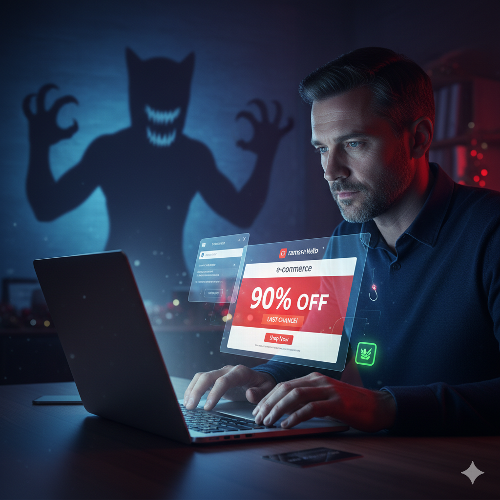
2. The "90% Off" E-commerce Lure
This scam preys on the "fear of missing out" (FOMO) that defines the Black Friday season.
- The Lure: An email or social media ad offering an unbelievable deal on a high-demand item, like a new iPhone for £100 or a "Store Closing" sale with 90% off everything.
- The Impersonation: Scammers create complete, professional-looking (but fake) e-commerce websites. They may even misspell a famous brand name in the URL (e.g., Nike-Outlet-Deals.com).
- The Goal: To steal your personal information (name, address, phone) and credit card details during the "checkout" process. You'll pay for an item that will never arrive, and your data will be sold on the dark web.
- Red Flags:
- The deal is, literally, too good to be true.
- The website URL is not the brand's official domain.
- The website is missing an "About Us" or "Contact" page, or has no physical address.
- The only payment options are non-reversible (like wire transfers or cryptocurrency).
How to Fight It: If a deal seems impossible, it is. Stick to trusted, well-known retailers. Before buying from a new site, use a search engine to look for reviews and scam reports.
3. The "Account Verification" Trap
This scam leverages your trust in the platforms you use every day, including at work.
- The Lure: An urgent email from "Amazon," "Microsoft," or "Google" with a subject like: "Action Required: Your Account Has Been Suspended" or "Unusual Sign-in Activity."
- The Impersonation: These are often the most convincing fakes. They use familiar branding and logos, preying on the fact that over 44% of people believe an email is safe if it contains a familiar brand.
- The Goal: To panic you into "securing" your account. The link leads to a perfect replica of the Microsoft 365 or Google login page. When you enter your credentials, the attacker captures your real password. This is especially dangerous, as it could be your corporate password, giving them access to your company's entire network.
- Red Flags:
- A sense of extreme urgency ("Your account will be deleted in 24 hours").
- The link, when you hover your mouse over it (don't click!), shows a strange URL, not microsoft.com or google.com.
- The email asks you to log in to fix a problem, rather than just alerting you to it.
How to Fight It: Never log in from an email link. If you get a security alert, open a new, trusted browser tab and go to the service (e.g., office.com) directly by typing the address yourself.
Q&A for Global Employees: Your Top Questions Answered
Q: What is the single biggest red flag I should look for?
A: A combination of urgency and a request. Any email that threatens a negative consequence ("Your account will be locked") or offers an amazing reward ("You've won a prize!") and demands you click a link or open an attachment to resolve it should be treated as a scam.
Q: I spotted a phish. Should I just delete it?
A: No. Report it. Your company almost certainly has a "Report Phishing" button in your email client. Use it. This alerts your security and IT teams, who can block the sender and protect other employees who may not have been as vigilant. Deleting it helps no one.
Q: I clicked the link by accident! What do I do?
A: Act immediately. Do not wait.
- Disconnect: Immediately disconnect your computer from the network (unplug the network cable and/or turn off your Wi-Fi).
- Report: Call your IT help desk or security team immediately. Tell them exactly what happened.
- Change Passwords: If you entered any credentials, change that password from a different, safe device (like your phone) after you've spoken to IT.
Q: How do scammers even get my work email address?
A: From countless sources. It could be from public company websites, your LinkedIn profile (LinkedIn is the #1 most impersonated brand for phishing), or from previous data breaches of other services you've used. Assume your work email is public, and be vigilant.
Beyond Awareness: Building a Compliant & Resilient Global Workforce
This article is the first step: awareness. But for a global organization, simple awareness isn't enough. You need a robust, measurable, and compliant system to turn your employees into a "human firewall."
Research shows that "additional staff training" is the most common response after a breach. At Formiti Data International, we believe in proactive defense. This is where our Privacy360 platform provides an enterprise-class solution.
This holiday season, don't leave your company's security to chance. A vigilant employee is your best defense, and a robust compliance framework is your ultimate insurance.
Formiti Data International provides both the expert advice and the enterprise-class tools to secure your global operations.
Protect your employees and your data. Contact Formiti Data International today for a demo of the Privacy360 platform and its powerful Training LMS and Global Data Transfer modules.